
Projects and tasks
Represent ongoing responsibilities or outcomes as projects, then track completable tasks with detailed context and agent-friendly IDs.
BeginnerProjects and tasks are the core building blocks of Herculean.
A task represents something that needs to be done. It has a clear outcome, a defined finish line and can be marked as complete.
A project can follow the traditional definition: a collection of tasks working towards a specific outcome, such as building a house, completing a woodworking project or finishing a metalworking build.
However, Herculean also recognises that not everything in life has a finish line.
Projects can represent ongoing areas of responsibility, bringing together related tasks that never really come to an end. Exercise, finances, day-to-day work, housework and shopping are all examples of projects that may continue indefinitely.
Whether you’re working towards a specific achievement or managing the everyday responsibilities of life, Herculean accommodates both without forcing you into a rigid definition of what a project should be.
Projects hold an area of work
A Herculean project can be a finite effort with a defined outcome, such as a building, software, or finance project. It can also be an ongoing area of responsibility: Home, Shopping, Exercise, health, family, or a client relationship. Those areas do not need to be declared finished. A project can remain a stable place for related work over time.
This makes projects useful for an individual’s whole workload. A contractor might keep a project for each client and see their personal responsibilities together, even when the work originates in different client systems. An ongoing Shopping project can collect both routine groceries and unusual purchases that are easy to forget. Herculean itself has also been managed as a single project, with a continuing stream of development tasks rather than separate boards for every release or sprint; within its first several days, the product was already being used to manage work involved in building itself.
Tasks describe completable work
A task should have a concrete outcome or completion point. Projects may continue indefinitely; tasks should be able to move through the workflow to Done. If an item has no meaningful finish, it may be better represented as an ongoing project or reframed as a series of concrete actions.
For example, an Exercise project can hold individual runs as tasks. A recurrence can generate another half-marathon run seven days after the previous one is completed, or a 10K run two days later. The project represents the ongoing responsibility; each workout remains a task that can be completed.
You can capture work directly or ask a connected AI service to create a task in the right project. A shopping task might include useful product links so you can make the purchase decision later. Tasks can also hold detail that helps you or an agent continue the work.
The distinction is simple: projects organise enduring responsibilities or finite bodies of work; tasks represent specific outcomes you can complete.
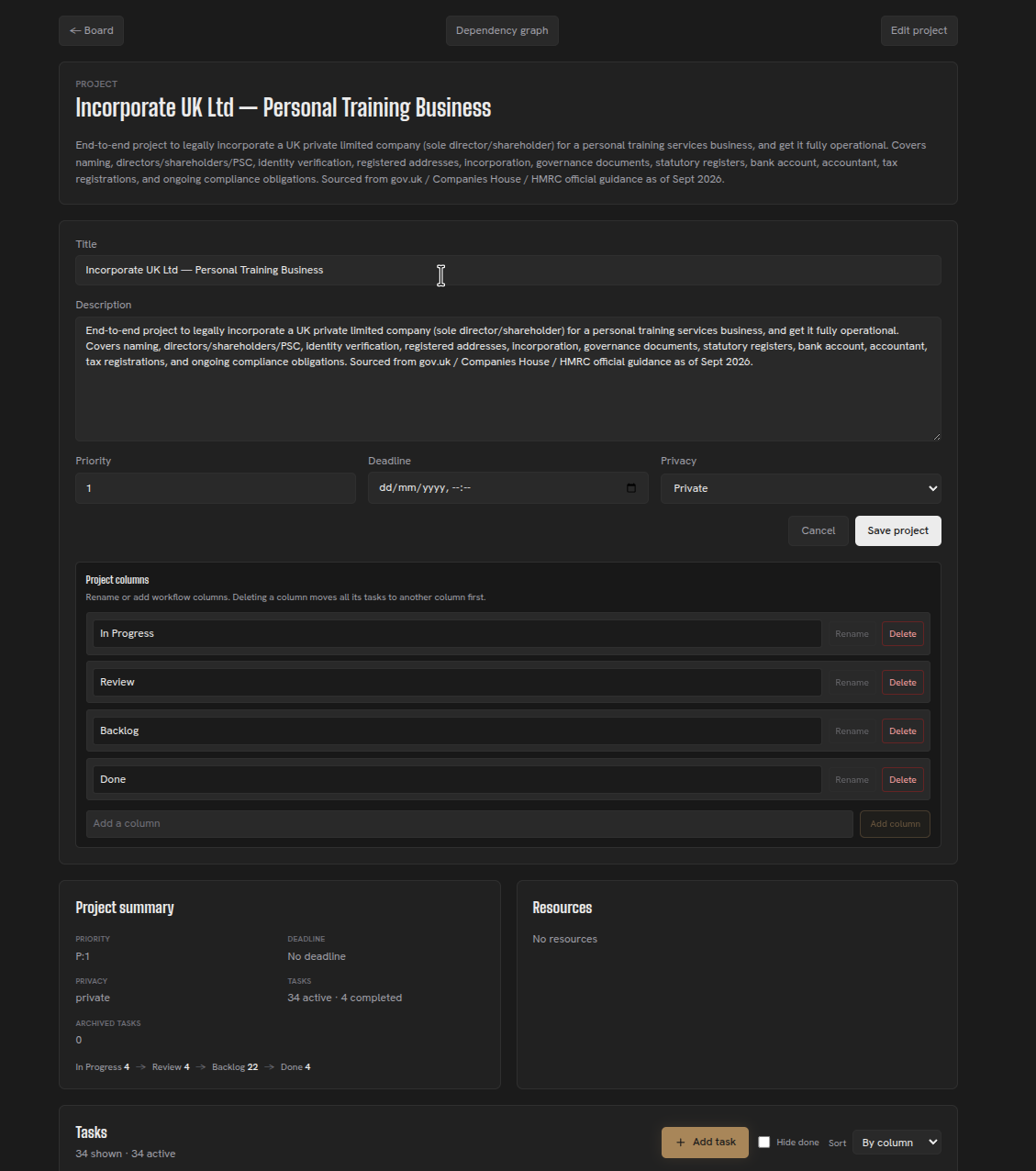
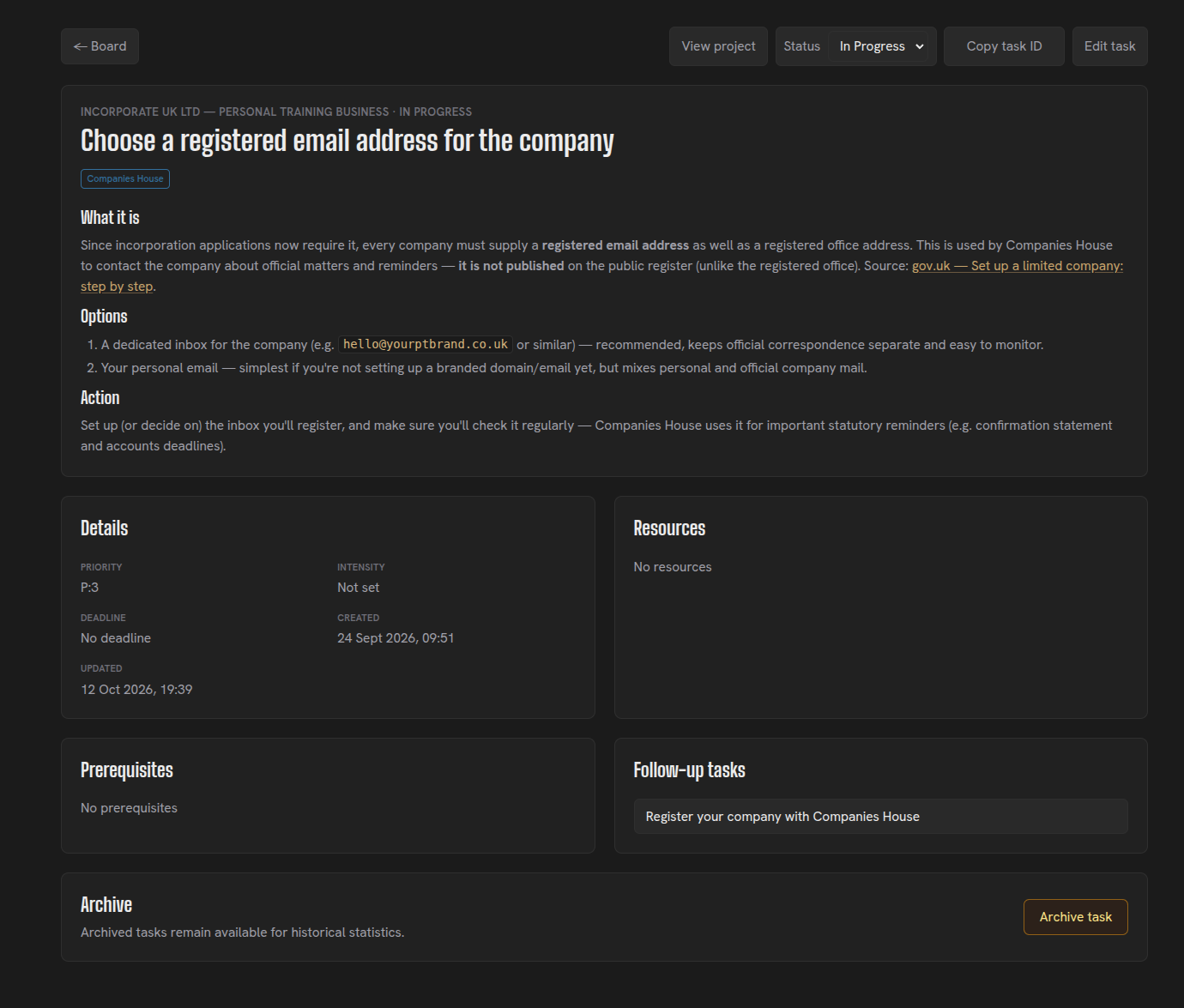
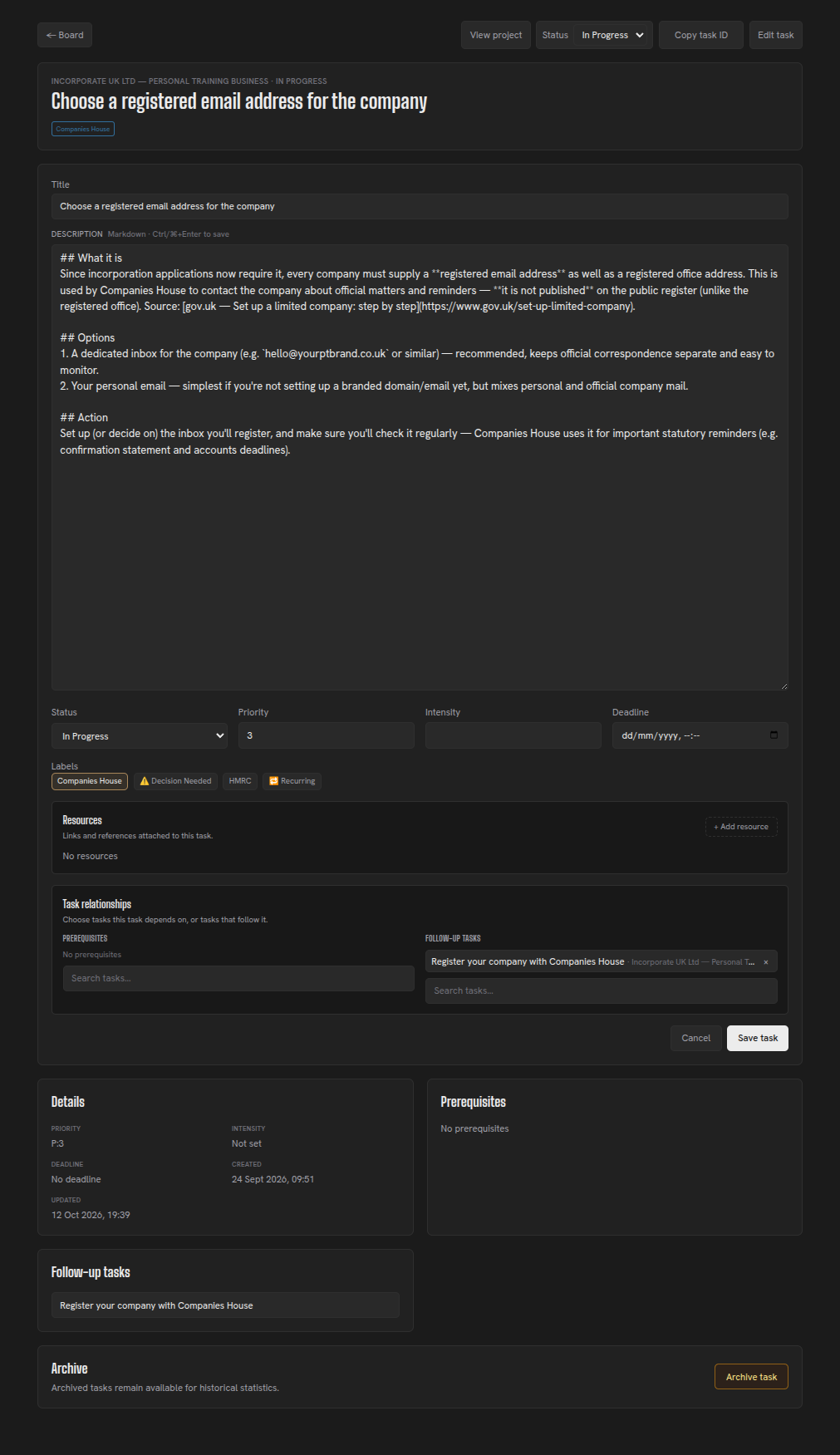
Edit a task from its detail page as the work changes.
Expanded descriptions
Both projects and tasks in Herculean support extensive descriptions, allowing you to store substantial amounts of information directly alongside your work.
Descriptions use Markdown, a lightweight formatting language widely used by AI services for reading, writing and structuring information. This means you can include headings, bold text, links, quotations, lists and even large, scrollable tables.
As a result, Herculean tasks are much more than simple to-do items. They can become collaborative workspaces for research, documentation, planning and decision-making, where you and your AI work together on complex problems.
The example below shows a task description holding an AI progress update, research findings and a large comparison table together. You can open the task and scroll through the structured detail where the work lives.
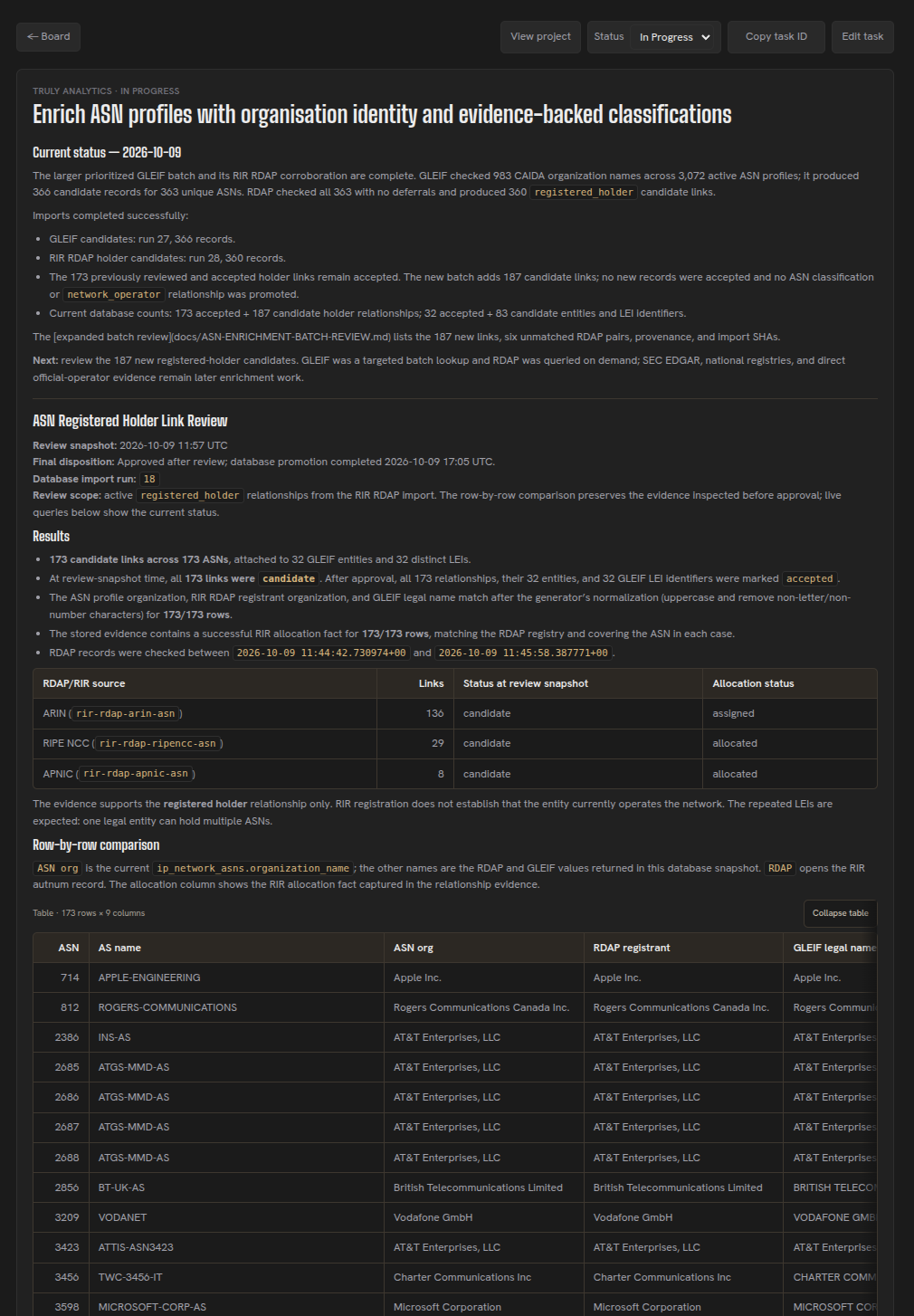
In practice, Herculean has been used to support international tax returns, corporate banking, tax filings and other documentation-heavy activities. These are situations where accurate research, organised information and a clear paper trail are essential to informed human decisions.
Take a tax return as an example.
You can create a task containing the relevant background information, an outline of your finances and links to supporting documents, such as bank statements stored somewhere your AI assistant can securely access them.
Your AI can then research the applicable tax rules, identify the forms you may need, organise the supporting documentation and create follow-up tasks covering the steps required to prepare and file your return.
The research, sources, findings and outstanding questions can all be recorded within Herculean, leaving you with a structured record that you can inspect, verify and act upon.
This approach helps reduce the risk of AI hallucinations by making research and supporting evidence easier to check, while keeping you in control of important decisions.
The result is a shared workspace where AI handles much of the research and organisation, while you retain oversight, make informed decisions and maintain a clear record of the work.
Task IDs
Every task in Herculean has its own unique ID, which you can easily copy from the top of the task page or task pop-up.
Task IDs are one of the fastest and most effective ways to communicate with your AI agents.
Rather than explaining which task you’re referring to, searching through projects or repeating information you’ve already documented, simply copy the task ID into your AI chat or agent terminal and tell it what you want done.
Your agent can use that ID to retrieve the exact task, including its description, requirements, labels and relevant context, removing ambiguity and giving it a clear starting point.
Once you get into the habit of using task IDs, delegating work becomes a handful of words. You can simply say, “Go do this: “ provide the ID, and let your agent get to work.
Get comfortable using task IDs. They’re effectively the fastest shortcut between your intentions and your AI agent’s ability to act.
Continue to organise the dashboard or see how recurring tasks handle repeated work.
Related content
Continue with other guides and examples connected to this topic.
Conversational organisation
Turn loosely spoken or written thoughts into Herculean projects, tasks, dependencies, Memories, and labels with a connected AI.
BeginnerCouch-2-5k
A full running plan for 16 weeks leading to a 5k run in Bristol, UK
BeginnerNew Tab
Review selected Herculean projects or tasks in your browser's New Tab, check local weather, or search and prepare an AI prompt.
Beginner