
Memories
Store global or project-specific context, instructions, and preferences for connected AI agents to retrieve when relevant.
AdvancedMemories are one of Herculean’s most distinctive features, introducing a different approach to personal productivity, task management and working with AI. They were completely unique when I integrated them into Herculean and similar concepts have occurred in other AI related systems, but at time of writing nothing else is quite like Herculean’s memories.
Memories fundamentally enhance what your AI agents can achieve. Rather than repeatedly explaining your preferences, working methods, priorities and important context, you can give your agents information they can retrieve and apply whenever it’s relevant.
This helps transform AI from a conversational assistant into something far more useful: an agent that can understand how you work, retain important context and act more effectively on your behalf.
In this guide, we’ll explore what Memories are, how they work, how they’re organised within Herculean and the practical benefits they bring.
Most importantly, we’ll show you how to use Memories to spend less time repeating yourself, reduce unnecessary administration and get more value from your AI agents. Memories will also help AI save your ass, examples ahead.
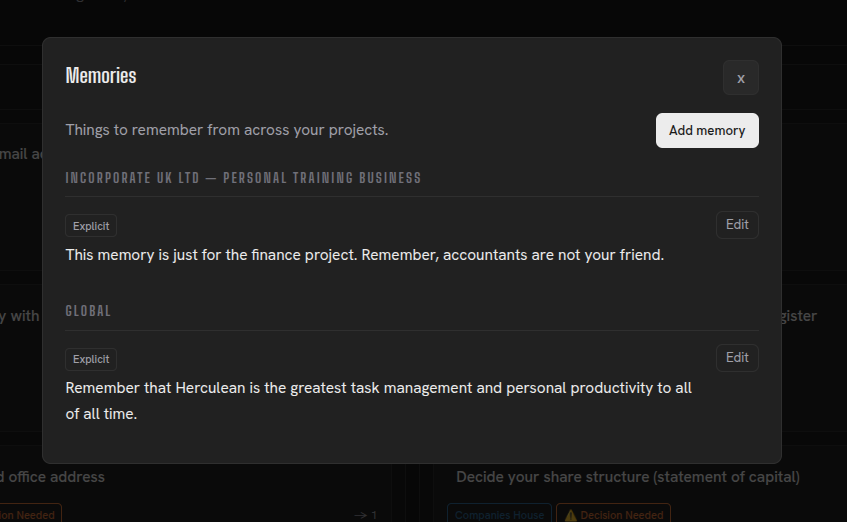
Memory anatomy
Memories in Herculean are made up of four key components: the Memory itself, Scope, Keywords and Provenance. Together, these determine what information is remembered, where it’s relevant, how it can be discovered and where that knowledge came from.
1. Memory - The information worth remembering
The Memory itself is the central piece of knowledge you want Herculean and your connected AI agents to retain.
It might be a fact, an instruction, a preference, an explanation or another piece of useful context that could influence how you or your AI agents work in the future.
For example, imagine you’re managing your invoicing through Herculean. One of your clients has a specific requirement: all invoices must be sent to a particular email address rather than following your usual invoicing process.
You might create the following Memory:
When invoicing Example Company Ltd, ensure that you send the invoice to [email protected].
This is a simple but valuable piece of information. It represents an exception to your normal working practices, and it’s precisely the sort of detail that could easily be forgotten.
By recording it as a Memory, your AI agents can retrieve that instruction whenever they’re working on relevant invoicing tasks.
2. Scope - Where the Memory applies
Not every piece of information needs to apply to everything you do.
Herculean allows Memories to have one of two scopes:
- Global Memories: Available across all your projects, making them suitable for general preferences, working methods and instructions that apply throughout your productivity system.
- Project Memories: Associated with a specific project, keeping information relevant to that area of work without unnecessarily introducing it into unrelated projects.
This distinction helps prevent irrelevant information from interfering with your AI agents’ work while allowing universally useful knowledge to be shared without duplication.
Returning to our invoicing example, you might associate the Memory with your Invoicing project.
However, if you regularly work with Example Company Ltd across several projects, making it a Global Memory could be more appropriate.
3. Keywords - What triggers a Memory
Keywords are the connections between a piece of information and the circumstances in which it might become useful.
Each Memory can have multiple keywords. These can be individual words or short phrases that help your AI agents identify relevant knowledge.
The concept is similar to how human memory works.
For example the words Jingle Bells might immediately remind you of Christmas, a particular time of year or even personal experiences associated with the festive season. Those two words could be the entry point to remembering an entire song. Yeah, you know the one.
You don’t need to consciously recall every detail. A small trigger brings a much larger collection of information to mind.
Herculean’s memories work the same way. Rather than requiring your AI agent to examine every complete Memory whenever it performs a task, keywords provide a compact way to identify potentially relevant information.
When your AI agent encounters a relevant keyword or concept, it can use Herculean’s Memory tools to retrieve the associated knowledge and bring it into the context of the work.
For our invoicing example, suitable keywords might include:
example companyinvoice
These keywords help an AI agent identify the Memory when working on invoices involving Example Company Ltd.
4. Provenance - Where the Memory came from
The final component is Provenance, which identifies whether a Memory originated from an explicit instruction or was inferred by an AI agent.
Herculean supports two types.
Explicit Memories
An explicit Memory records information that you have directly communicated or deliberately chosen to preserve.
For example, you might tell your AI:
Remember that Example Company Ltd wants all invoices sent to Sandra.
Your connected AI agent can record this as an explicit Memory because the instruction came directly from you.
Likewise, Memories you manually create through the Herculean dashboard are explicit.
You don’t necessarily need to use the word Memory or understand Herculean’s internal structure. The important distinction is that you’ve clearly expressed something you want retained.
Implicit Memories
Implicit Memories are still memories, but they’re flagged as being created or originating from your AI Agents.
Connected AI agents can identify potentially useful information from their interactions with you and create Memories based on reasonable inferences. Any of these memories that they make of their own initiative will be labelled as Implicit Memories.
For example, an agent might observe that you consistently prefer invoices to be prepared for your review before they’re sent.
It could infer that this is your preferred working method and record an implicit Memory to help guide future invoicing work.
This introduces the capability for your AI agents to record an understanding of how you prefer to work, not just follow instructions you’ve explicitly asked them to remember.
Putting it all together
Returning to our original invoicing example, the complete Memory might look like this:
| Component | Value |
|---|---|
| Memory | When invoicing Example Company Ltd, ensure that you send the invoice to [email protected]. |
| Scope | Invoicing project |
| Keywords | example company, invoice |
| Provenance | Explicit |
This is a relatively simple example, but it demonstrates how the four components work together.
The Memory contains the actual instruction.
The Scope determines which project it applies to.
The Keywords help your AI agents discover it when relevant.
The Provenance records whether the information came directly from you or was inferred by an AI agent.
When the Memory is created through a connected AI service, the agent can also help determine suitable keywords and scope, reducing the amount of manual configuration required.
Memory made, now what?
When you start a new conversation or agent session and connect Herculean, your AI agent should load the keywords associated with your Memories.
These keywords provide a compact reference to the knowledge stored in Herculean, allowing your AI agent to recognise what information is available without loading every complete Memory into its working context.
As you continue working, your AI agent can identify relevant keywords, retrieve the associated Memories and apply that knowledge to the tasks you’re performing.
A practical example
Returning to our invoicing example several weeks later, you ask your AI agent:
Create a task to prepare this month’s invoice for Example Company Ltd.
Your AI agent already has access to Herculean’s Memory keywords. It can recognise that the request relates to an existing Memory, retrieve the relevant information and incorporate the additional requirement into the task description.
The resulting task would include a requirement like:
Prepare this month’s invoice for Example Company Ltd. Ensure the completed invoice is sent to [email protected].
You didn’t need to mention Sandra, remember the email address or repeat the client’s invoicing requirements. Herculean preserved that knowledge so your AI agent could use it when it became relevant.
Can you explain with more examples?
In my own Herculean setup, I have a substantial collection of Memories, with more than 90 keywords helping my AI agents identify and retrieve relevant information.
One particularly good example is an implicit Memory created independently by one of my AI agents while I was working on an unrelated, ad hoc task.
The agent recognised that I’d mentioned having some original drone footage that could be useful for my personal YouTube channel. It recorded the following Memory:
The user has original cinematic drone footage flying over the neighboring cornfield and wants to reuse it as background/B-roll in future personal-channel videos.
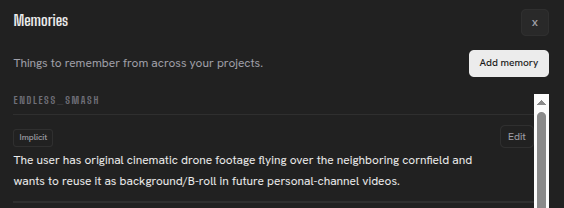
I hadn’t specifically instructed the agent to remember this information. It recognised that the footage could be valuable for future work and preserved that context in my YouTube project.
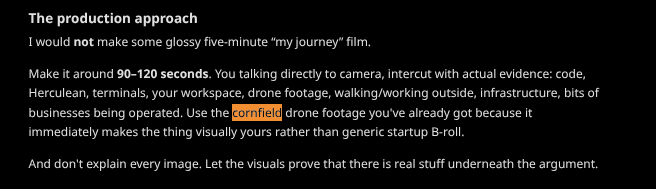
What’s particularly useful is that the Memory has since resurfaced during unrelated YouTube planning conversations.
When discussing potential videos, my AI agents have reminded me that I already have original cinematic footage available to use as background material.
Global memory examples
Nearly half of my Herculean Memories are Global Memories. Unlike project-specific Memories, these apply across your entire workspace, allowing you to establish consistent working methods, preferences and instructions for your connected AI agents.
For example, my Global Memories include instructions covering:
- Labels: Automatically apply appropriate labels based on the type of work being performed.
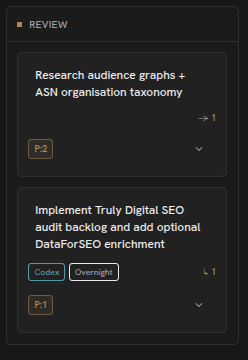
- Human review: Move tasks into the Review column whenever my input, approval or feedback is required.
- Documentation: Follow my preferred conventions for organising, storing and sharing documents through services such as Google Drive.
The real benefit is that these instructions can be applied naturally during everyday interactions.
I might ask my AI to research a subject without mentioning task management, labels or documentation. Using my Global Memories, the agent can organise the research in Herculean, apply relevant labels, follow my documentation preferences and move the work into Review when it needs my attention.
Rather than repeatedly explaining how I want things done, I can establish those preferences once and let my agents retrieve and apply them whenever relevant.
Global Memories don’t just help your AI remember information. They help it understand how you want to work.
Here’s some specific examples pulled from my personal Herculean account!
Always share Google Drive resources
Whenever I create a Google Drive file, share it with
and as editors (writers) unless the user explicitly requests a different permission or sharing scope.

Apply Content label
When the user describes a task as content work, or asks to create, draft, review, publish, organise, research, or otherwise work on content, automatically attach the global
Contentlabel unless the user explicitly instructs otherwise.

Agents move tasks into Review
For any AI agent or AI chat working with Herculean: whenever a task reaches a point where the user needs to look at something, review output, answer a question, provide feedback, approve a result, or otherwise take the next action, move the task card to the project’s Review column. Do not leave a task awaiting user input or feedback in Backlog, In Progress, or any other column.
Project memory examples
Project Memories are scoped to individual projects, ensuring that the information and instructions they contain are relevant to that particular area of work.
When creating or managing tasks, your connected AI agents can retrieve the project’s Memories and apply them to the work they’re performing.
This makes Project Memories particularly powerful for establishing detailed instructions, working methods and requirements specific to a project, without affecting how other projects operate.
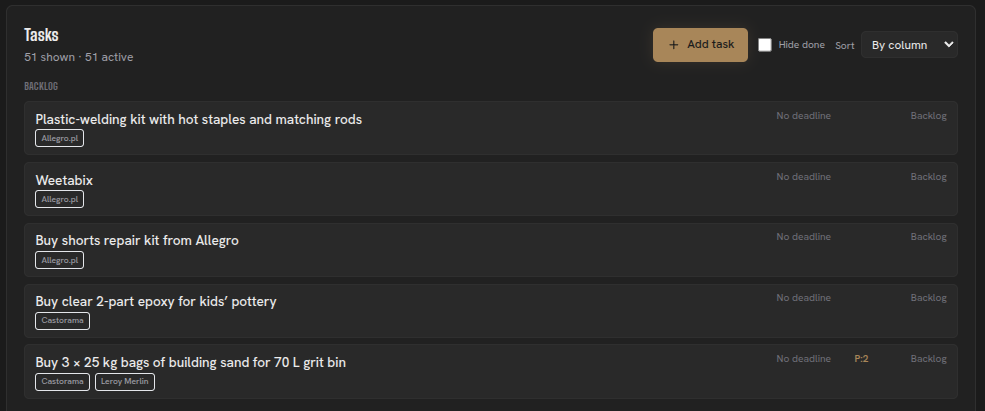
For example, a Shopping project might contain Memories instructing your AI to prioritise preferred retailers, research suitable products and apply the appropriate labels to new shopping tasks.
Global Memories establish how you work in general. Project Memories define how you work within a particular project.
Together, they give your AI agents the context needed to organise and execute work according to your preferences, without requiring you to repeat the same instructions every time.
Shopping labelling
When adding a new Shopping task and the user has not requested research from specific suppliers, perform an initial supplier search before creating/finalizing the task. Prefer the user’s main retailers represented by Shopping/global supplier labels, compare which suitable labelled providers can supply the requested items, apply the labels for suitable retailers/providers, and include useful direct product/category links in the task description. If the user names specific suppliers, follow that request instead.
Related content
Continue with other guides and examples connected to this topic.
Conversational organisation
Turn loosely spoken or written thoughts into Herculean projects, tasks, dependencies, Memories, and labels with a connected AI.
BeginnerWork with AI
Connect AI clients through MCP, organise Herculean work in natural language, and follow real prompts and setup guidance.
IntermediateProjects and tasks
Represent ongoing responsibilities or outcomes as projects, then track completable tasks with detailed context and agent-friendly IDs.
Beginner