
Dashboard
See active projects and task status together, edit work on the board, and keep completed tasks out of everyday view.
BeginnerOne board for your work
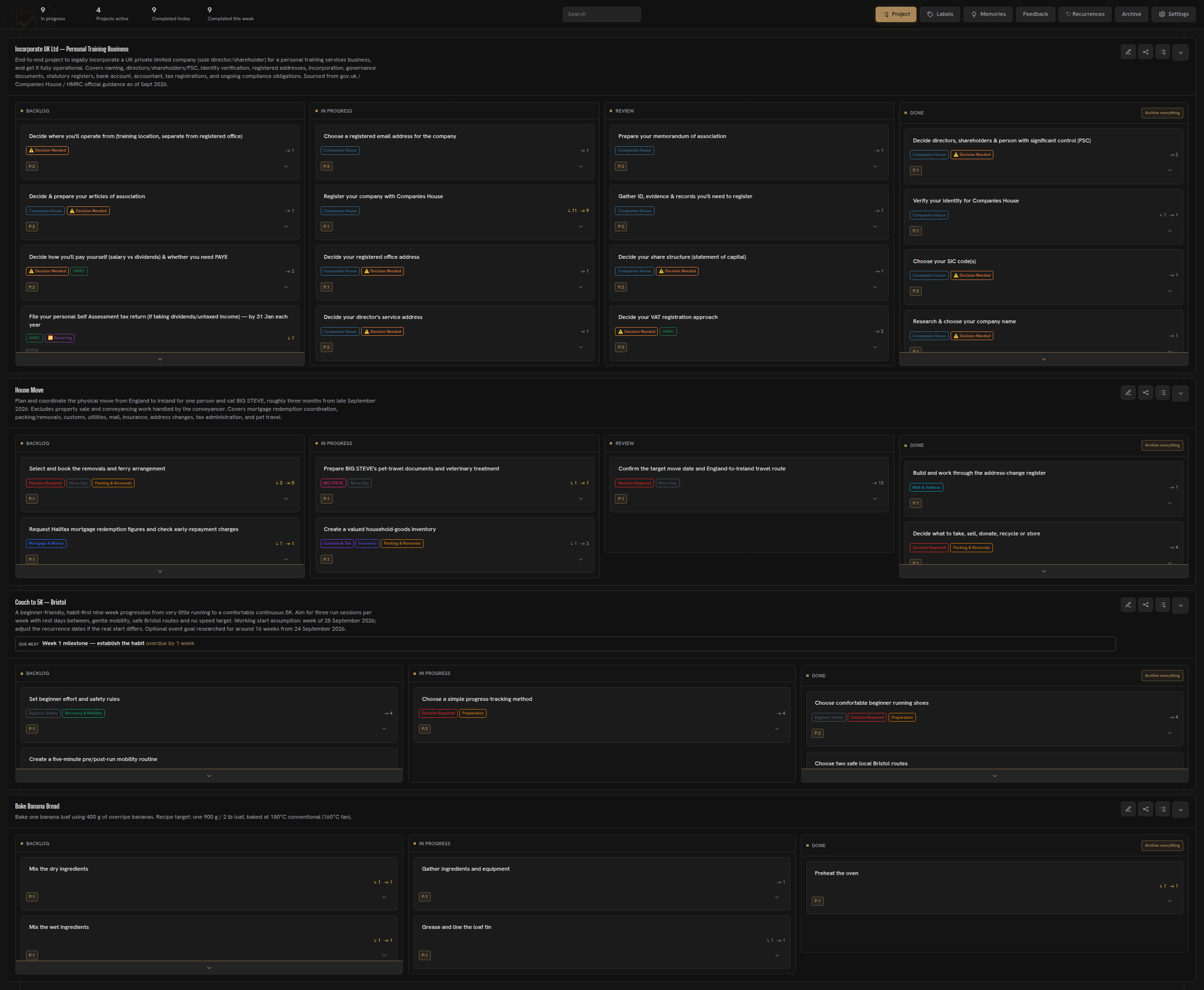
Herculean brings every non-archived project into one dashboard. Each project has tasks arranged across its own status columns, so you can scan the state of your work without maintaining a separate board for every area of responsibility. Read more about projects and tasks.
The default workflow uses Backlog, In Progress, Review, and Done. Backlog holds future work; In Progress is for work you have started or deliberately brought into your current working horizon; Review is where delegated work can wait for your inspection; Done records completed work.
Projects can be collapsed, expanded, and reordered to keep the board readable when you are not actively working in every area. You can create tasks and projects, drag tasks between columns, edit project details, and manage a project’s labels, Memories, and Resources from the dashboard.
Open Settings in the upper-right corner of the dashboard to configure board behaviour, New Tab, weather, calendar, and account access. See the Settings guide for a walkthrough.
Read the shape of the work
Kanban is a way to make work and its status visible. The board is useful because it shows patterns at a glance: a project with many tasks in progress may have too much activated at once, while a project with most work in Done and little remaining may be nearing completion.
A picture is worth a thousand words and having a Kanban board like Herculean’s across all your projects will give you more information at a quick glance than any other to do list, list of tasks or other crowded pile of text. Hence why we use Kanban in Herculean so that you can easily see what’s going on and quickly.
The board gives you a simple human view while tasks and projects can retain the detailed context needed by you and connected AI services. You do not have to strip useful information out of a task just to keep the overall dashboard scannable.
Each task and project has their own pages or dedicated pop-ups where you can provide more detail on both. You can find out more in the projects and tasks section.
Direct editing and AI
The dashboard is directly editable, and connected AI services can manage the same underlying system through Herculean’s integration. You can ask an assistant to create or update projects, tasks, labels, and other supported information; those changes appear on the dashboard. After delegated work, the board can show what changed and what is waiting for review.
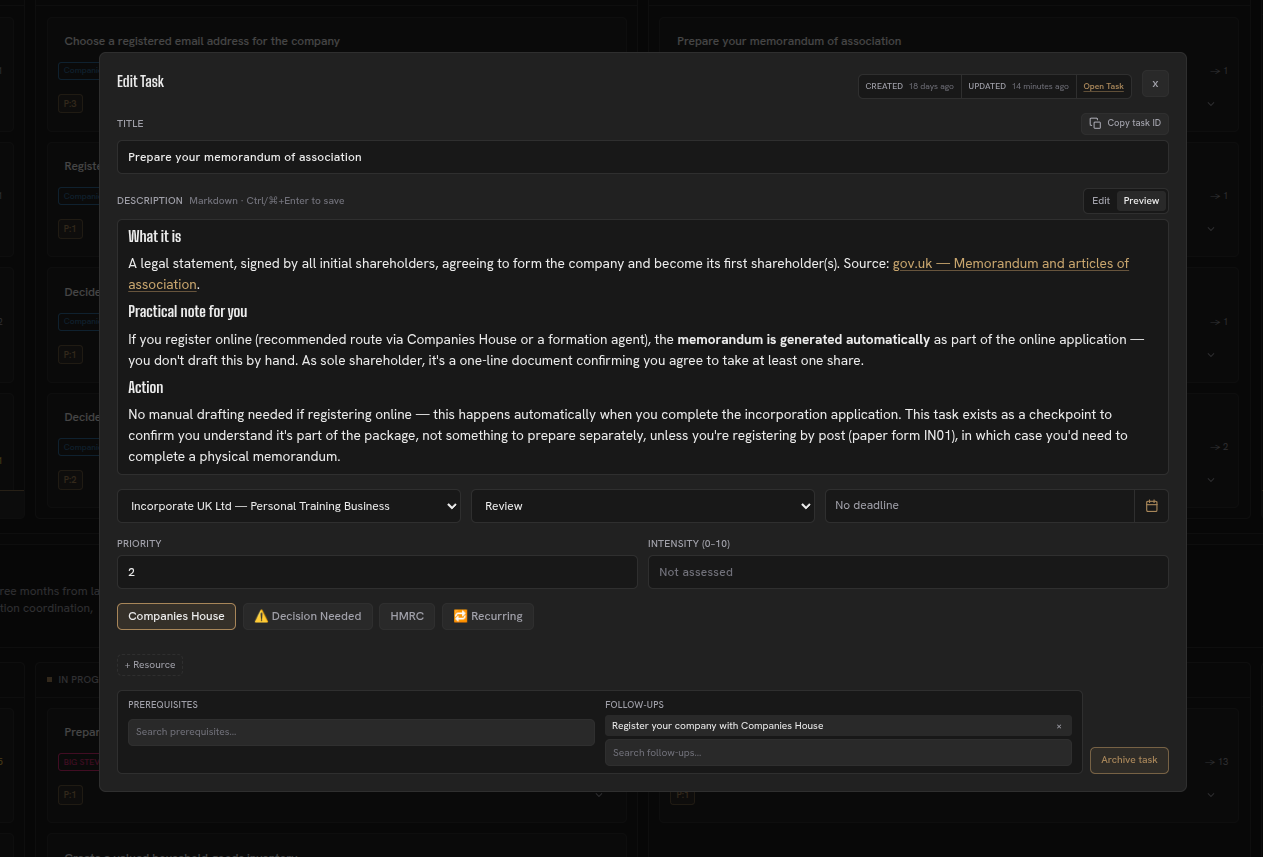
Learn how projects and tasks fit together, how to use workflows, or connect an AI service.
The Dashboard can do it all
While Herculean treats AI integration as a first-class feature, using AI is entirely optional.
If you’re simply looking for a powerful Kanban board or a modern alternative to outdated, cumbersome task management software, Herculean has everything you need.
Every feature and capability is available directly through the dashboard. AI services have no special privileges or exclusive functionality.
You can manage everything yourself through the dashboard, delegate your organisation and task management entirely to AI, or use any combination of the two.
Herculean works the way you want to work. AI is an option, not a requirement.
Related content
Continue with other guides and examples connected to this topic.
Feedback
Report an issue, ask for support, or share an idea from the dashboard or through a connected AI service.
BeginnerNew Tab
Review selected Herculean projects or tasks in your browser's New Tab, check local weather, or search and prepare an AI prompt.
BeginnerResources: pointers to working material
Link documents, repositories, and other external material to projects or tasks while leaving access permissions with the source service.
Beginner