
Calendar
Subscribe to an ICS feed of Herculean task deadlines, choose how much detail events show, and manage sharing from Settings.
BeginnerBring deadlines into your calendar
Herculean can provide a calendar feed of tasks with deadlines across your projects. Add the feed to compatible calendar software, such as Google Calendar or Outlook, to see Herculean due dates alongside the rest of your schedule. Herculean remains where you manage the work; the calendar gives it a time-based view.
Herculean’s calendar integration automatically collects tasks with due dates and makes them available as calendar events, giving you a clear view of your upcoming deadlines and commitments.
Once enabled, Herculean provides an ICS calendar feed that you can subscribe to using compatible calendar applications, including Google Calendar, Apple Calendar and Outlook.
The calendar feed reflects your current tasks and deadlines whenever your calendar application requests an update. However, most calendar applications don’t refresh subscribed calendars in real time. Some may only check for updates once a day, so changes made in Herculean might not appear immediately.
Refresh frequency is controlled by your calendar provider, not Herculean. The Herculean calendar feed is always accurate and always kept up to date with your tasks - it’s called Herculean for a reason. If your calendar appears out of date check with your calendar application’s documentation to see how frequently it updates its calendar’s subscriptions.
Alternatively, you can download your Herculean calendar as an ICS file and import it directly into almost any compatible calendar application.
Unlike subscribing to the calendar feed, importing an ICS file creates a snapshot of your deadlines at that moment. Future changes in Herculean won’t automatically update those imported events.
Subscribe for automatic updates, or download and import when you need a snapshot. Either way, Herculean makes it easy to keep your deadlines visible alongside the rest of your schedule.
Sharing is opt-in
Calendar sharing is disabled by default. When you enable it, an external calendar service can receive information from the feed. Treat the generated link as private: anyone who obtains it may be able to view the exposed information. If the link is exposed, Herculean lets you reset or reissue it to replace the old link.
Privacy modes
Herculean is fantastic software, built with the care and attention to detail you’d expect from exceptional modern software engineering. Privacy and control are fundamental to that design, not afterthoughts.
That’s why calendar integration is disabled by default. When you choose to enable it, Herculean offers two modes that let you control exactly how much information is shared with your calendar application.
Private Mode
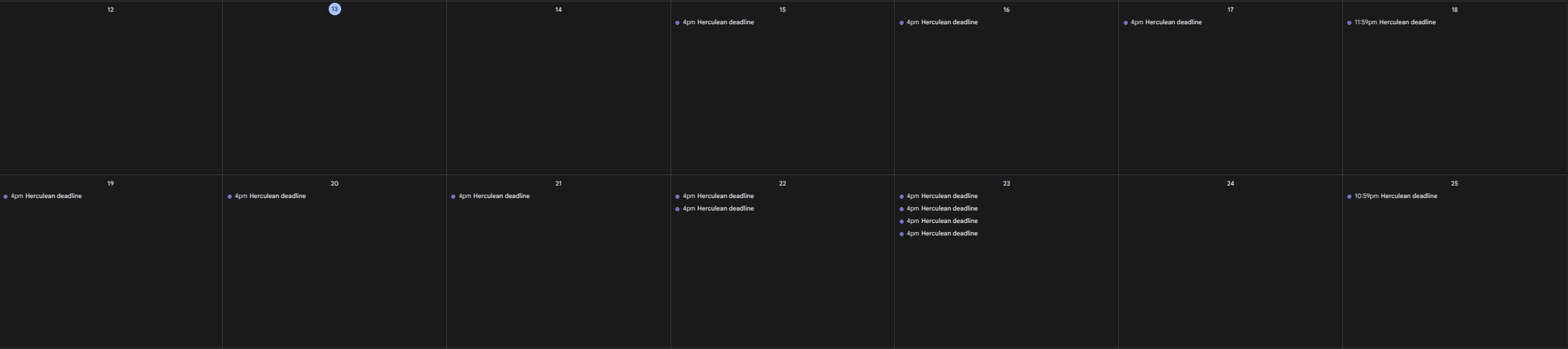
Your calendar receives a generic event indicating that you have a Herculean deadline, without revealing the task’s title, description or other details.
This allows you to keep track of upcoming commitments without exposing what you’re working on.
Detailed Mode
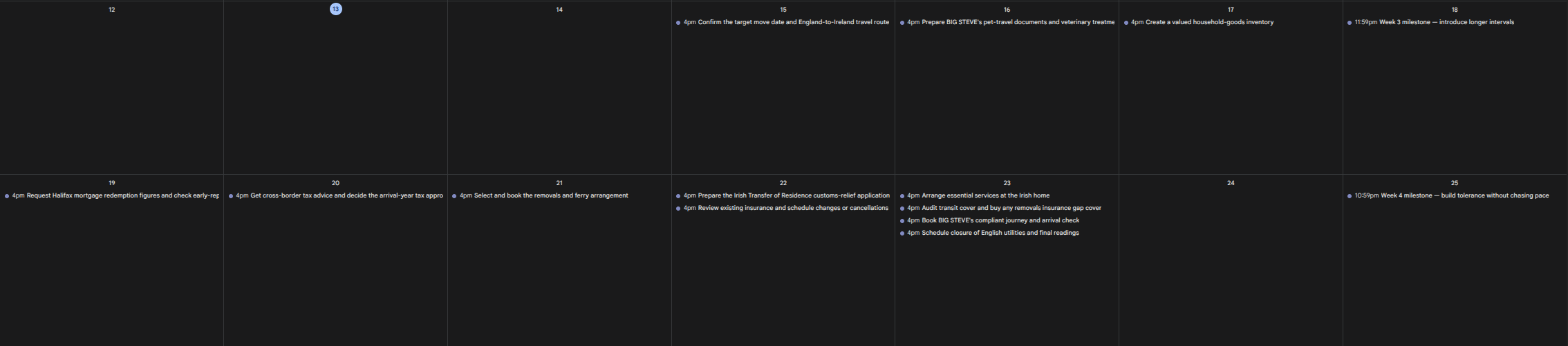
Your calendar receives the task’s title and due date, giving you a more informative view of your upcoming work.
However, Herculean deliberately excludes the full task description. Descriptions can contain extensive documentation, sensitive information, research and other material that has no reason to leave your productivity system.
Excluding descriptions also keeps the calendar feed lightweight, even when tasks contain substantial amounts of content.
Both modes limit the information shared.
Labels, Memories, Resources and other core Herculean features are never exposed through the calendar feed.
This prevents unnecessary information disclosure and ensures that your calendar only receives the information it needs to display your deadlines.
Settings
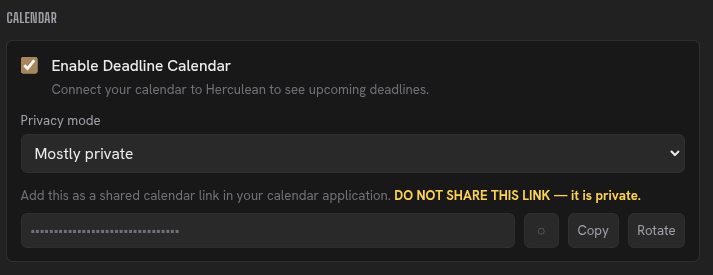
You can manage your calendar integration directly from the Settings menu in the Herculean dashboard.
From there, you can choose your privacy mode. If you believe your calendar link has been exposed or shared with someone who shouldn’t have access, you can rotate the link to invalidate the previous one and generate a new subscription URL.
You can also disable calendar integration entirely whenever you choose.
Related content
Continue with other guides and examples connected to this topic.
Settings
Manage board behaviour, New Tab and Pirate Weather options, calendar privacy, modal behaviour, and account access from one panel.
BeginnerDelegation and agent workflows
Give connected AI agents task context, ask them to research or organise work, and review their results in Herculean.
AdvancedMemories
Store global or project-specific context, instructions, and preferences for connected AI agents to retrieve when relevant.
Advanced